
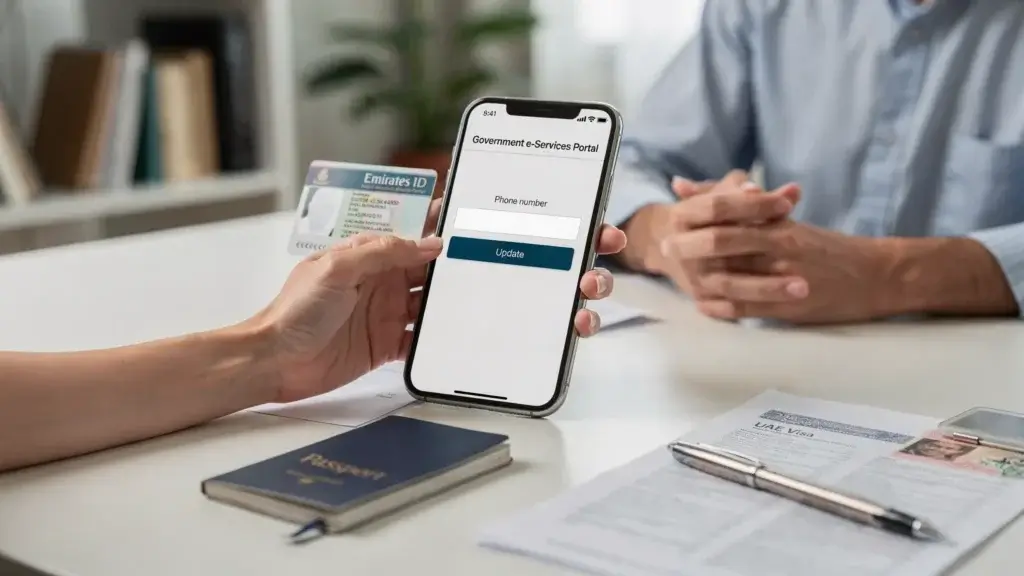
If you are searching for how to change emirates id mobile number you are looking for the official way to update the phone number linked to your Emirates ID profile so you can receive OTPs alerts and service updates. In simple terms how to change emirates id mobile number means updating your registered contact details with the UAE identity authority.
This guide explains how to change emirates id mobile number using practical steps that work for most residents in Dubai and across the UAE. You will learn what to prepare before you start what to do online through ICP Smart Services and what to do if you cannot access your old number.
You will also see when a trusted Typing Centre in Dubai can complete the update for you with fewer errors.
Keeping your mobile number current is not just a convenience. Many UAE services rely on your registered phone for UAE Pass sign in OTP verification and status notifications. If the number is wrong you may get locked out of portals or miss important updates.
For many people the need for how to change emirates id mobile number comes after switching SIM cards changing employers or losing access to an old number.
Before you start: What you need to update your Emirates ID phone number
To complete how to change emirates id mobile number smoothly prepare your basic identity details first. Having the right documents reduces rejections and repeated visits.
Common items for a registered mobile number change request include:
- Emirates ID number
- Passport copy
- UAE residence visa copy or eVisa copy if applicable
- A working new UAE mobile number in your name when possible
If your record has spelling variations in your name across documents resolve that first because data mismatches can delay updates.
Choose the right method for your situation
There are several ways to complete how to change emirates id mobile number depending on your access to UAE Pass and whether you still have the old SIM.
| Situation | Best Method | What to Expect |
|---|---|---|
| You can log in with UAE Pass | ICP Smart Services update | Fastest self-service option for most users |
| You cannot complete online steps | Authorized typing centre submission | Assisted data entry and correct service selection |
| Old number is inactive and cannot be verified | In-person support through approved channels | Identity verification may be required before changes |

Step 1: Confirm which authority manages your Emirates ID record
In the UAE Emirates ID services are handled by the Federal Authority for Identity Citizenship Customs and Port Security through ICP Smart Services. In Dubai your residency processes may also involve Amer channels.
This matters because how to change emirates id mobile number must be filed through the correct route for your record. When you are unsure an authorized UAE typing center can confirm the correct path before submission.
Step 2: Update your mobile number online using ICP Smart Services
For most residents the cleanest answer to how to change emirates id mobile number is to update your contact details in ICP Smart Services using UAE Pass.
Step by step process
- Open the ICP Smart Services portal in your browser.
- Sign in using UAE Pass.
- Go to the section for personal profile details or services related to updating personal information.
- Select the option that matches updating contact details or mobile number.
- Enter your new number with the correct country code.
- Follow the verification prompts. You may receive an OTP depending on the service flow and your account settings.
- Review all fields then submit.
- Save your reference number so you can track the request.
If you are doing how to change emirates id mobile number for a family member verify that you are authorized to act on their behalf because some updates require the holder to log in.
Step 3: Update through the ICP app if you prefer mobile
Many residents prefer using the ICP mobile app for an update Emirates ID phone number task especially when they already use UAE Pass frequently.
The steps are similar to the web route. Log in with UAE Pass then locate your profile or personal data update service then submit the change registered mobile number request.
If you get stuck on service selection or form fields an experienced typing center can complete the submission using the correct transaction type.
Step 4: When to use a Typing Centre in Dubai for faster error free submission
If you tried online and the system did not accept your request do not guess and re submit repeatedly. That is where a regulated Typing Centre in Dubai helps.
As a Typing Centre in Dubai Arabian Business Centre supports residents visitors and companies with accurate government submissions. This is especially useful for how to change emirates id mobile number when:
- Your UAE Pass login works but the service is not clear
- Your record has a formatting issue such as name order
- You need document pickup and delivery for supporting papers
For Emirates ID focused submissions you can also use emirates id typing to reduce data entry errors and avoid delays.
Step 5: Special cases and common problems
Some cases require extra attention when applying how to change emirates id mobile number.
You no longer have access to the old mobile number
If you cannot receive verification messages you may need identity verification through approved service channels. Bring your Emirates ID passport and visa copy. An authorized typing center dubai can advise which supporting documents are typically needed based on your case.
Your Emirates ID is expired or renewal is in progress
If your Emirates ID is expired your access to some services can be limited. Address renewal first if required then update your contact details. Travel plans can add pressure in these situations. The guide on How to handle expired emirates id during travel explains practical steps to stay compliant while you regularize your status.
Data privacy and safe handling of your personal details
A mobile number update involves sensitive identity data. Use official portals authorized service centers and trusted compliance practices for storing and sharing documents. If your company needs broader policies for identity data handling and cybersecurity governance you can refer to privacy and compliance resources from Privacy & Legal Management Consultants Ltd. as a starting point.
Quick checklist to finish and confirm the change
After completing how to change emirates id mobile number take two minutes to confirm the update is reflected where it matters.
- Sign in again using UAE Pass to verify your profile shows the new number
- Test an OTP flow on a government portal you use often
- Update your employer HR records if they use your Emirates ID details
Completing how to change emirates id mobile number once and confirming it saves time later when you need urgent services.
Conclusion
Knowing how to change emirates id mobile number helps you stay reachable for OTP verification application updates and essential UAE services. Prepare your documents use ICP Smart Services with UAE Pass when possible and choose an authorized support route if you face verification or data mismatch issues. If you want hands on help from Arabian Business Centre as a trusted Typing Centre in Dubai for accurate submissions and tracking you can contact us.
Frequently Asked Question
Log in to ICP Smart Services with UAE Pass then select the personal information or contact details update service enter the new number and submit.
Yes but you may need additional identity verification through approved channels if OTP verification cannot be completed.
It depends on validation and system processing. Save your reference number and verify later through your profile.
Yes an authorized typing centre can submit the correct request and help avoid mistakes in data entry and service selection.
It can if your UAE Pass account is linked to the old number. Update details carefully and ensure you can still complete verification.